 ABFut
ABFutBuilding SBCs with ABFut
Two ways to finish a Squad Building Challenge: build from your own club by exact rating or card quantities, or fill a Futbin solution and let ABFut buy the missing cards.
Open any SBC challenge in the EA Web App inside ABFut (iPhone, Android or the Chrome extension). Two buttons appear above the squad: 🛠️ Build and 🧩 Solutions. They are two different ways to finish the same challenge.
1. Build from your own club
Build opens the ABFut squad builder. It reads the challenge's requirements, shows them at the top, and pre-fills what it can. It goes further than EA's own squad builder: you decide exactly how the squad is made.
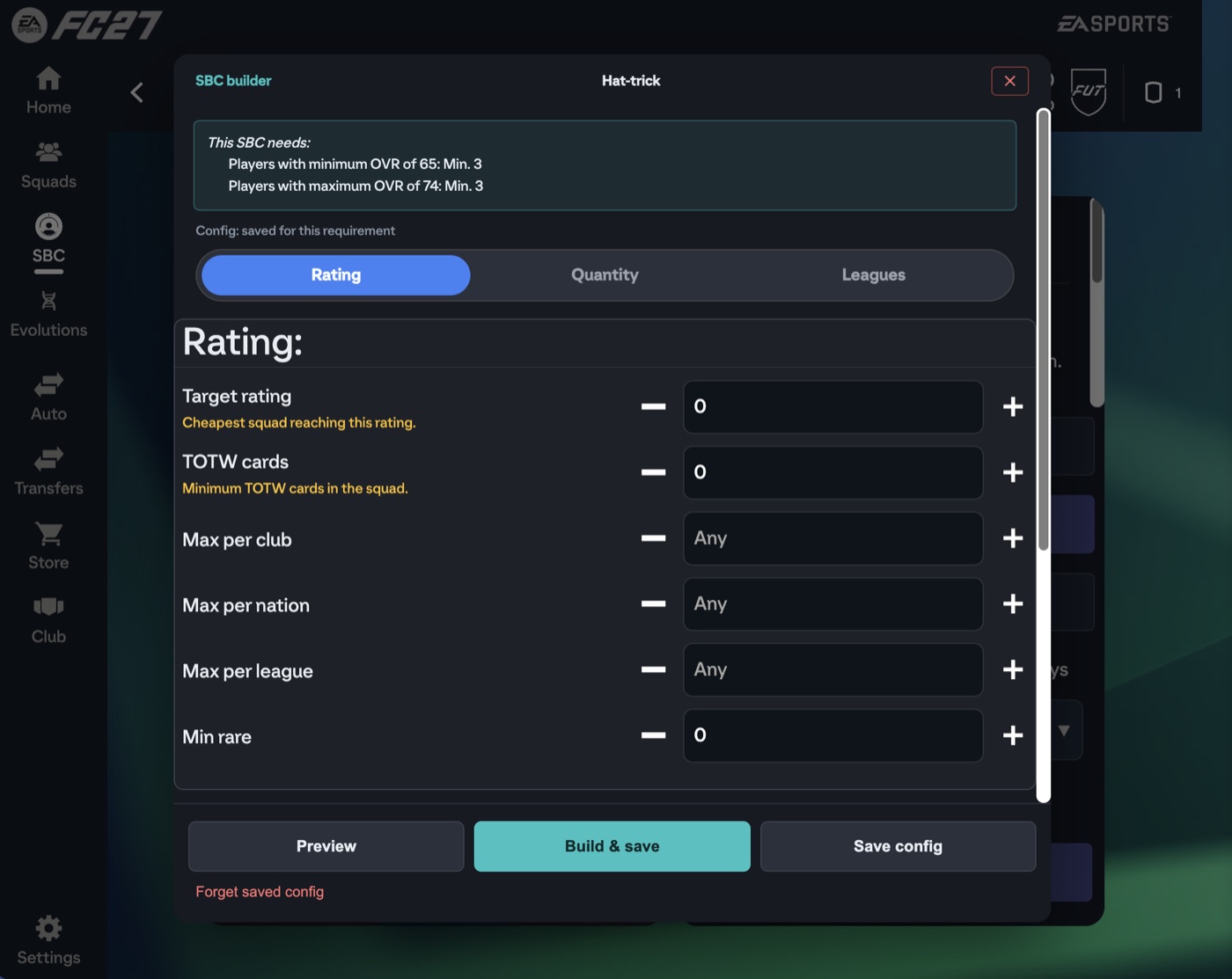
By rating
Set a target rating and ABFut builds the cheapest squad from your club that reaches exactly that team rating. You can also require a minimum number of Team of the Week cards, cap how many players come from one club, nation or league, and ask for a minimum number of rare cards.
By card quantities
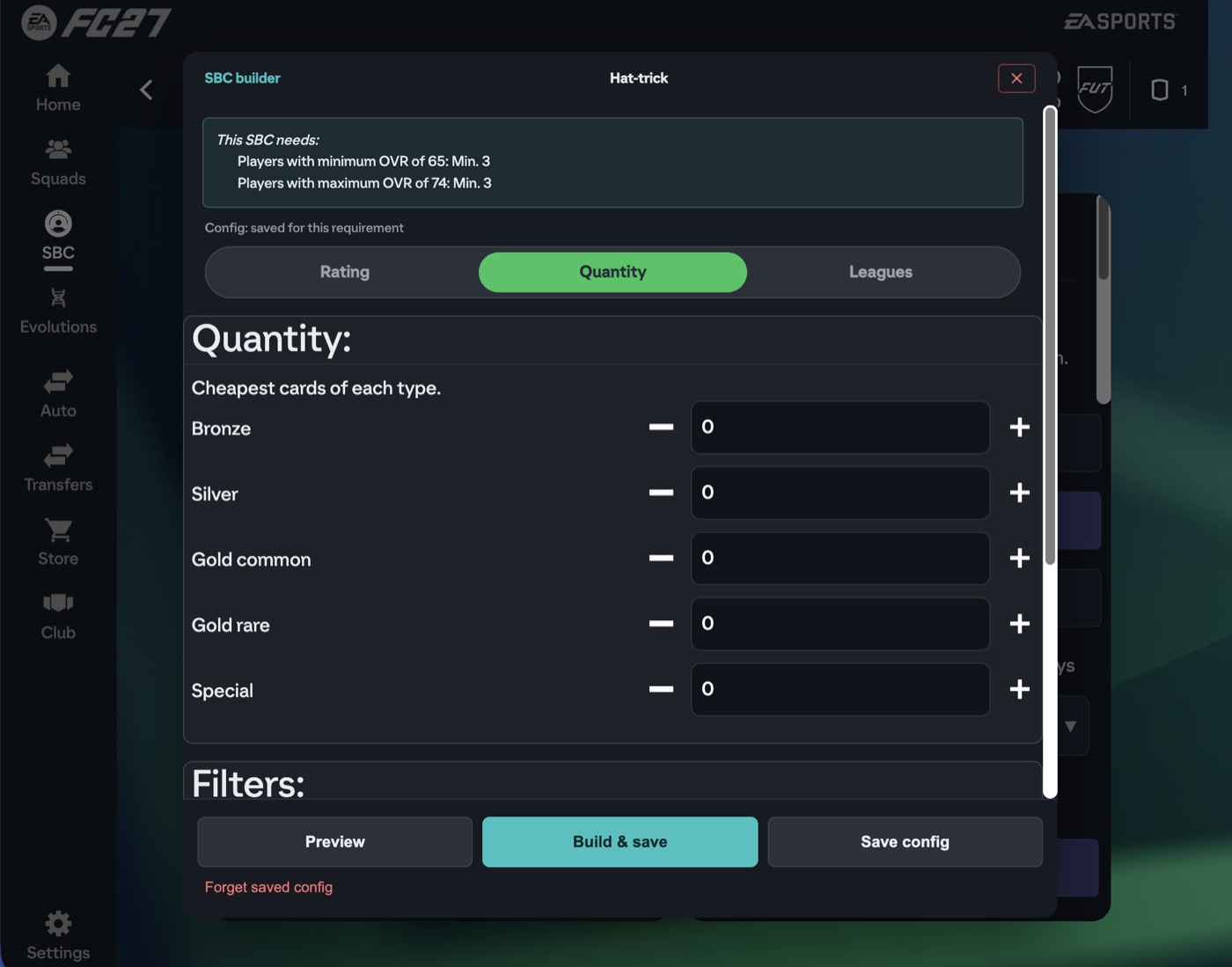
Say how many bronze, silver, gold common, gold rare and special cards to use, and ABFut picks the cheapest card of each type. Handy for fodder challenges like "Exchange 3 players between 65 and 74".
Filters that decide which cards may be used
- Min OVR / Max OVR — never use cards outside this range, so your 85s stay safe.
- Untradeable only — keep your tradeable cards for the market.
- Storage first or Storage only — use the duplicates sitting in SBC storage before anything else.
- Prefer duplicates and Skip active squad — spend spare cards, never your starting XI.
Preview builds without saving so you can check the rating and the cards. Build & save writes the squad into the challenge. Save config remembers your settings for every challenge with the same requirements, even next season.
2. Fill a Futbin solution — and buy what you are missing
Solutions lists community squads collected from Futbin for that exact challenge, with the price on your platform. Pick one and ABFut fills the squad:
- Players you already own go straight into their positions.
- Players you do not own are placed as concept cards, so you see the whole squad at once.
- Tap Purchase Players and ABFut buys those concept cards on the transfer market for you, within the price limits you set (iPhone and Android app).
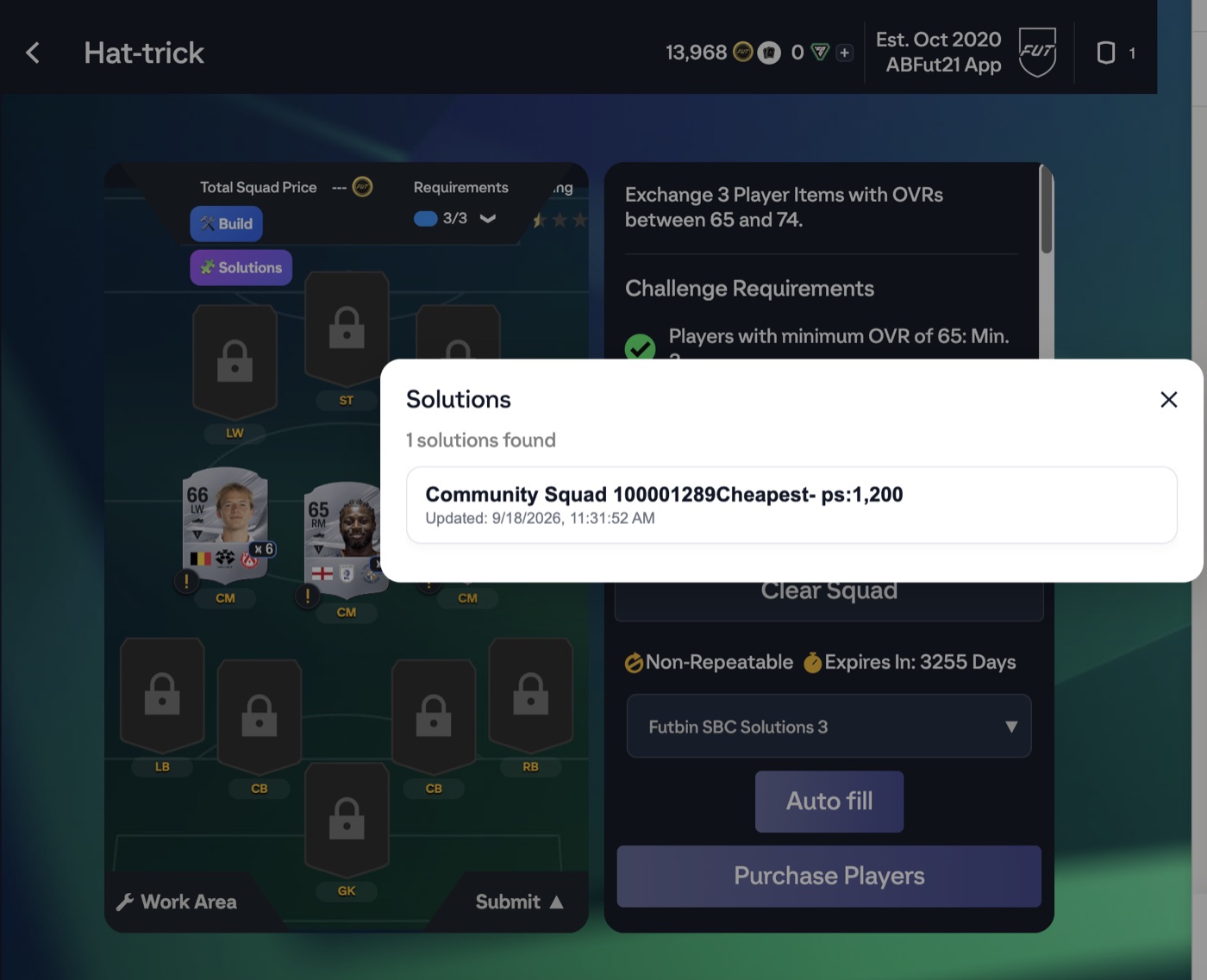
If a challenge has no solution yet, the app can fetch them from Futbin for that challenge, and everyone gets them from then on.
Good to know
ABFut will not submit a challenge that EA still marks as incomplete. If the builder cannot reach the requirements it says exactly what is missing, for example "Not enough cards. Missing: Bronze 1, Gold common 1". Submitted squads cannot be undone, so check the preview on expensive challenges.
Questions people ask
Does ABFut solve SBCs?
Yes, in two ways. Build makes the squad from cards in your club, by an exact target rating or by how many bronze, silver, gold and special cards to use, with limits on OVR, untradeable cards and storage. Solutions fills a community squad from Futbin: cards you own are used, missing ones appear as concept cards, and Purchase Players buys them for you in the iPhone and Android app.
Can ABFut build an SBC with an exact team rating?
Yes. In Build, choose Rating, enter the target team rating, and ABFut builds the cheapest squad from your club that reaches it. Set Min and Max OVR to protect your best cards, turn on Untradeable only to keep tradeable cards, and turn on Storage first to use your SBC storage duplicates before anything else.
Can ABFut buy the players I am missing for an SBC?
Yes, when you fill a Futbin solution. Players you own go into the squad, missing ones are shown as concept cards, and Purchase Players buys those cards on the transfer market within your price limits. This works in the iPhone and Android app.
Can ABFut submit SBCs automatically?
There is an automatic mode that builds and submits challenges you have saved a configuration for. Test it on a cheap repeatable challenge first, because a submitted squad cannot be undone.